
TypeScriptRilis v0.3.92
TEDI
One lightweight app. Eight features. Your whole dev workflow in a single window.
One lightweight app. Eight features. Your whole dev workflow in a single window.
One lightweight app. Eight features. Your whole dev workflow in a single window.

One lightweight app. Eight features. Your whole dev workflow in a single window.




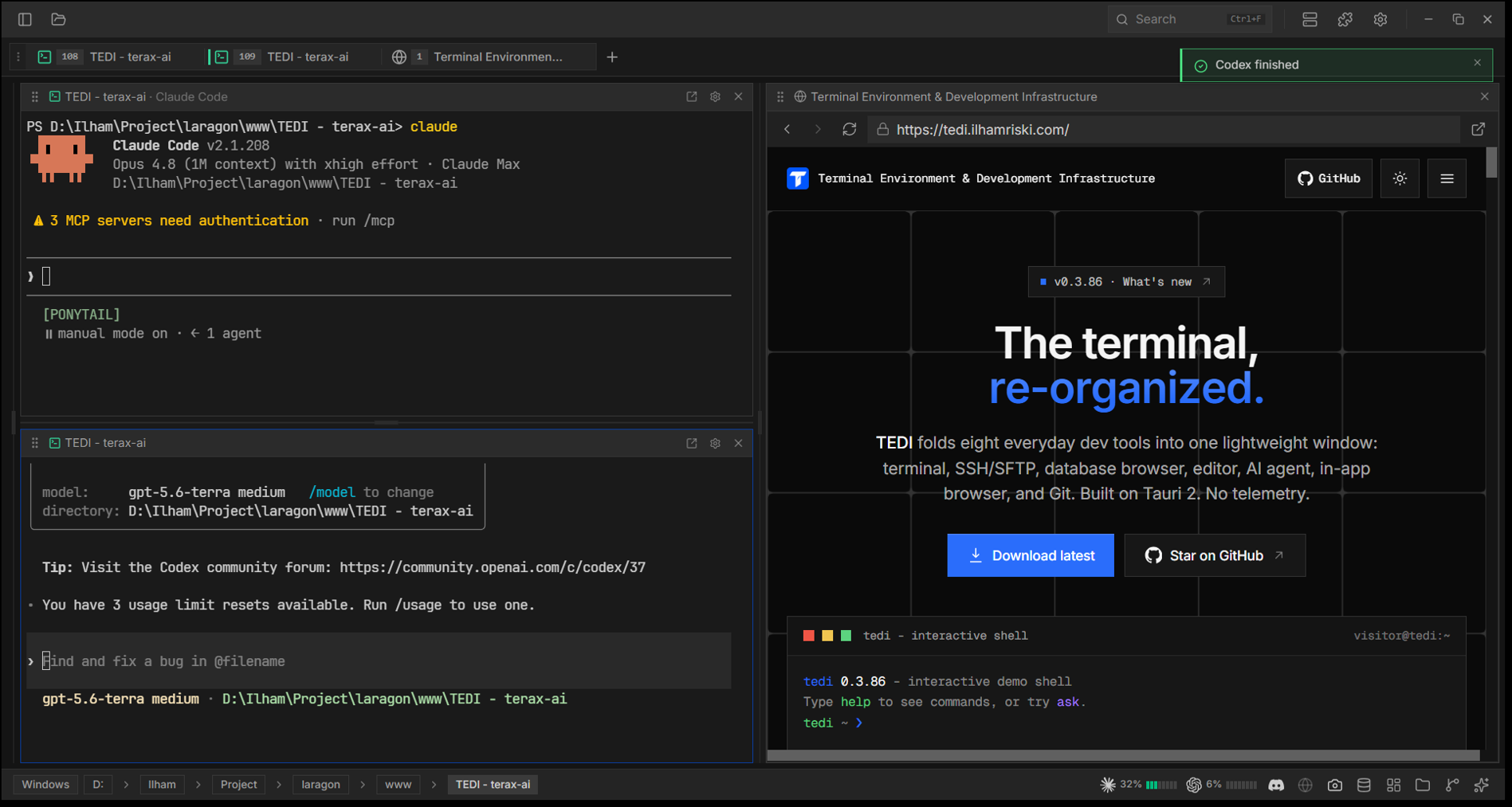
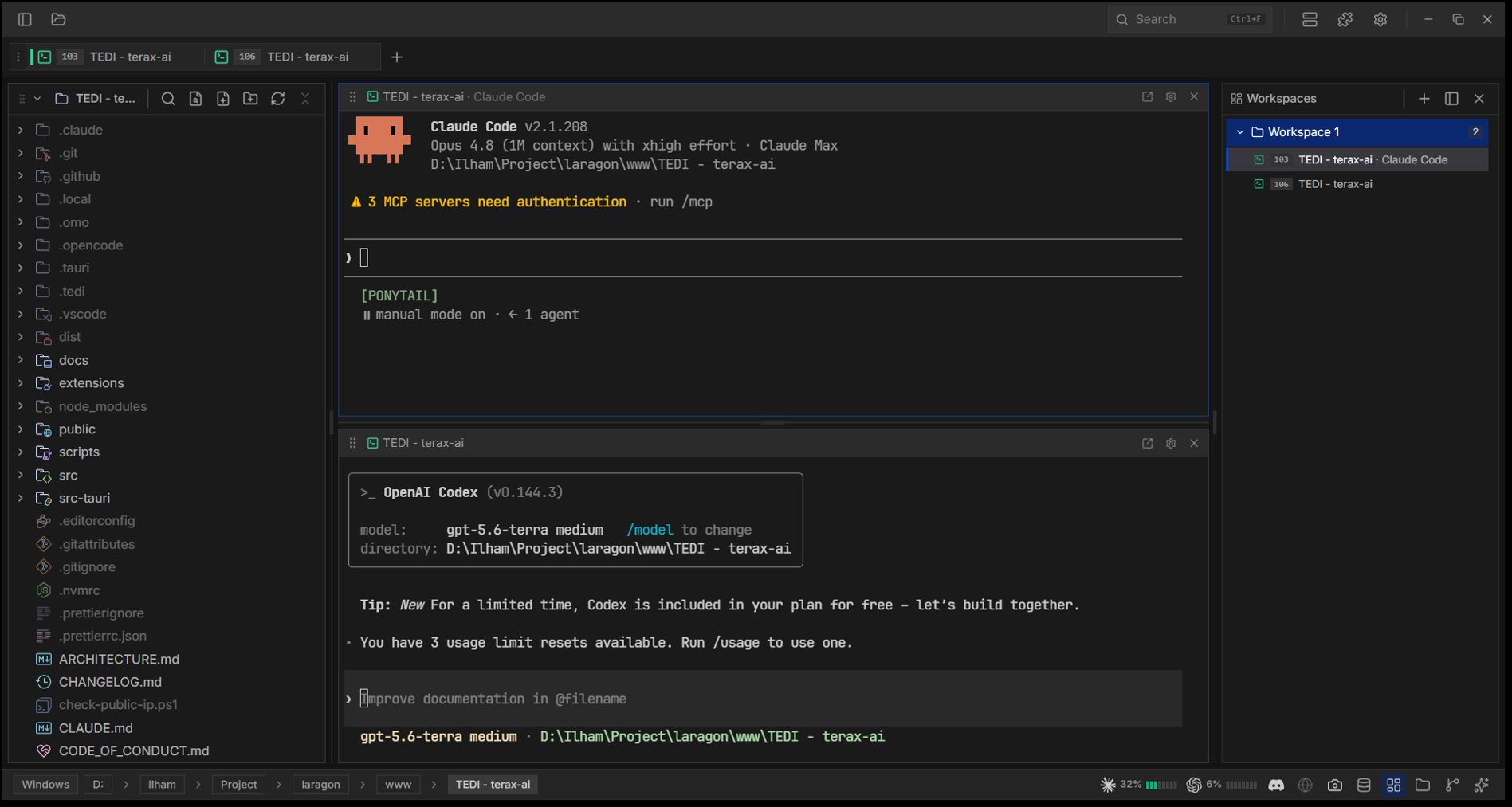
TEDI (Terminal Environment & Development Infrastructure) folds eight tools you reach for every day (a terminal, SSH client, DB browser, editor, AI agent, browser, and Git) into one window, so you stop alt-tabbing. Built on Tauri 2, so a Rust core owns every OS resource and the UI is a single webview: no Node runtime, no bundled Chromium, and a resident footprint closer to a terminal than to an IDE. No telemetry; API keys stay in the OS keychain, and it runs fully offline against a local model if you want.
| # | Feature | What it does |
|---|---|---|
| 1 | Terminal multiplexer | Native PTY terminals (zsh / bash / fish / pwsh) on xterm.js + WebGL: split panes, tab groups, shell integration (OSC 7 / 133), inline search, and link detection. Inactive tabs keep streaming. |
| 2 | SSH connection | Connect to remote hosts (russh), open remote shells, and browse/transfer files over an integrated SFTP explorer, all from a saved connection manager. |
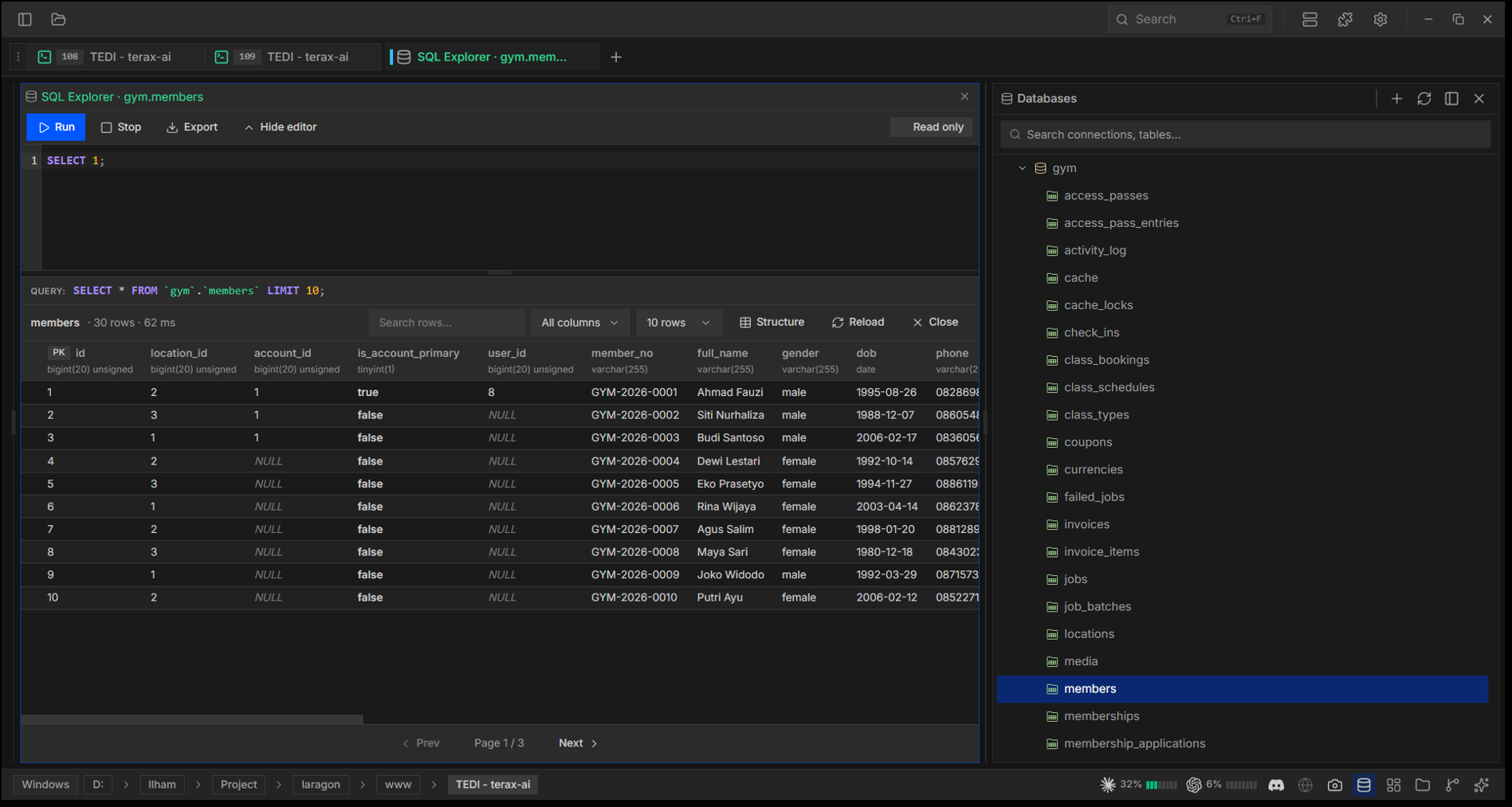
| 3 | SQL explorer (extension) | Browse and query databases from a dedicated panel. Ships as an extension (feature 8), so it installs and updates at runtime. |
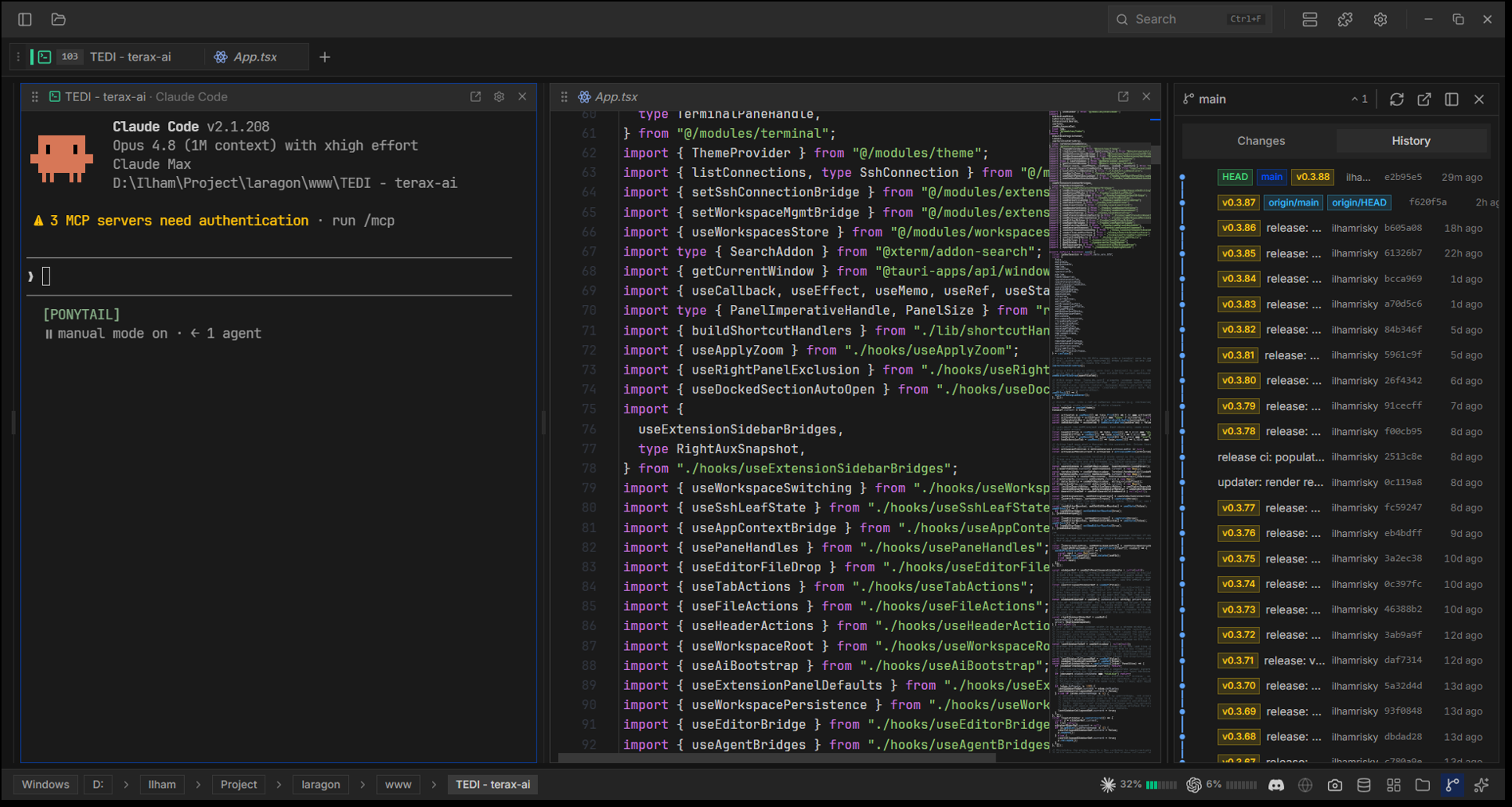
| 4 | Code editor | CodeMirror 6 for TS/JS, Rust, Python, PHP, HTML/CSS, JSON, Markdown, C/C++, Java, C#, SQL, and more, with inline AI autocomplete, diff view, Vim mode, and Markdown/image preview. |
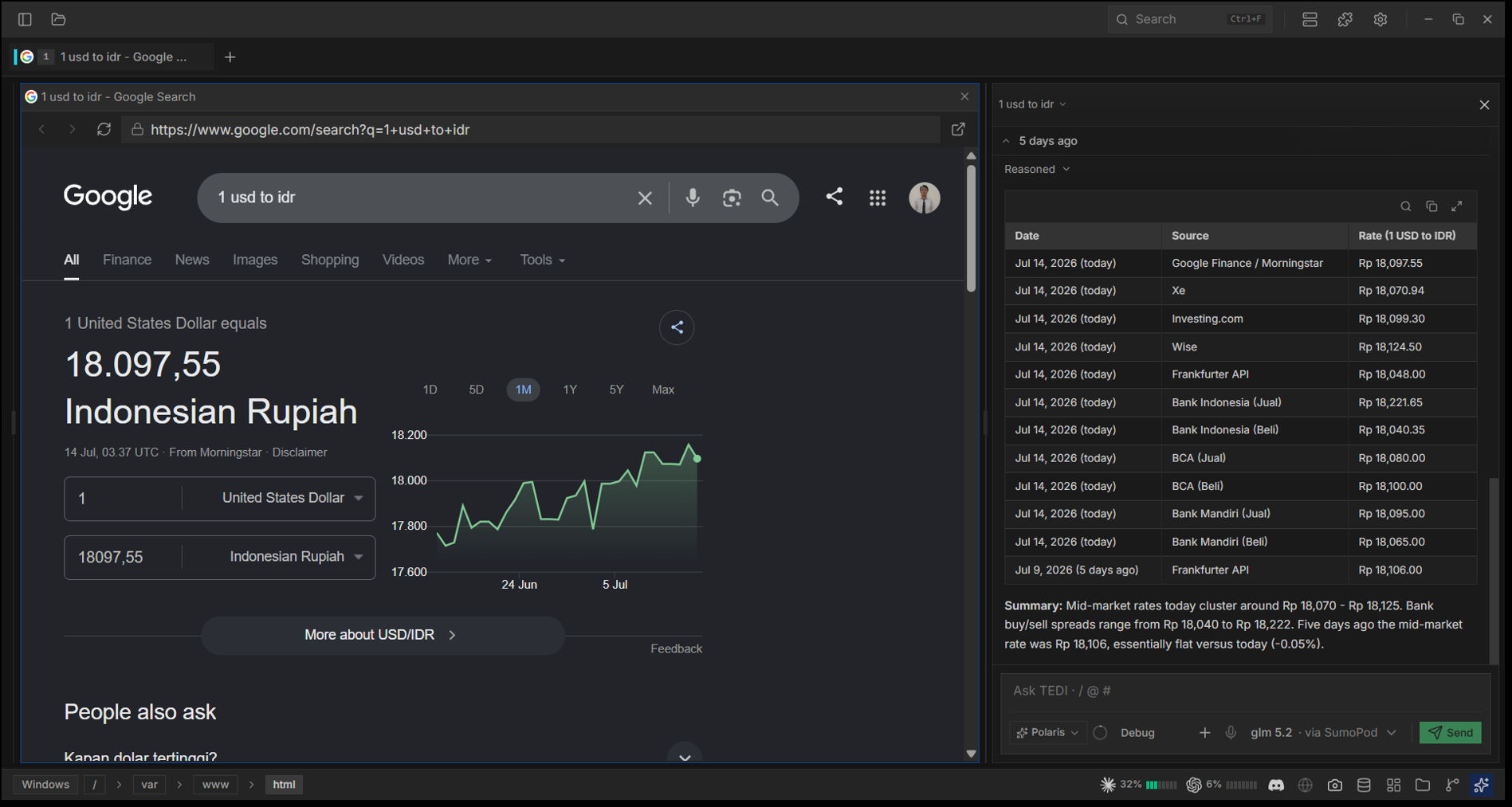
| 5 | AI-native agent | Bring-your-own-key agent across ten providers (OpenAI, Anthropic, Google, xAI, Cerebras, Groq, DeepSeek, SumoPod) and local models via LM Studio or any OpenAI-compatible server (Ollama, llama.cpp, vLLM). Plan mode, skills, MCP, ten sub-agents, voice input, project memory via TEDI.md, and tools gated by approval. |
| 6 | AI browser control | A real in-app browser (native webview) the agent drives end to end: navigate, read, type, click, scroll, screenshot the tab to see it, and read its console errors to find out why your page broke. |
| 7 | Workspaces | Each workspace keeps its own project session (tab layout + working dirs) and switches instantly. The header folder picker spawns a terminal rooted there. |
| 8 | Source control + extensions | Inline Git diff / SCM pane, and a first-class extension system: install from a .zip or GitHub release to add settings, AI tools, commands, keybindings, panels, and status / header / sidebar items. |
Everything is fully themeable (presets, custom colors, transparency) while staying lightweight.
Pre-built binaries: Releases (Windows, macOS, Linux .deb / .rpm / .AppImage). Download for your OS and install; TEDI auto-checks for updates.
Settings → AI, pick a provider and paste your API key. Keys go to the OS keychain via keyring, never to disk or localStorage. Full list: PROVIDERS in src/modules/ai/config.ts.
Running fully local? Two routes, both keyless:
http://localhost:1234/v1).:11434), llama.cpp (:8080), vLLM (:8000), plus OpenRouter and 9Router. A localhost / 127.0.0.1 endpoint needs no API key; leave the field blank.The same providers back inline autocomplete (Settings → AI → Autocomplete), so ghost text works on a cloud key or entirely offline. Set the model id yourself when your server names models its own way (qwen2.5-coder:7b, a GGUF filename).
TEDI ships no extensions in the binary; every one (including the SQL explorer) installs at runtime. Re-installing the same manifest.id replaces the old copy, so the same path handles updates.
Settings → Extensions → From file       (pick a local .zip)
Settings → Extensions → From GitHub     (paste owner/repo)
Settings → Extensions → Check updates   (re-check releases/latest)
Per-extension icon, namespaced settings/secrets/storage, and a permission-gated host API. Authoring guide: extensions/README.md. Reference extension: Discord Rich Presence.
tedi [PATH]          # open a folder or file in TEDI
tedi .               # open the current directory
tedi ext <subcmd>    # manage extensions headlessly (install / list / update / ...)
tedi theme <subcmd>  # manage themes from the terminal
tedi --help | --version | --update
If TEDI is already running, the request forwards to the existing window (no second instance). On macOS / Linux AppImage the tedi command is not on PATH by default: Settings → General → "Install tedi command in PATH" creates a shim at ~/.local/bin/tedi. Windows' installer handles this.
A Tauri 2 app: a React 19 webview (src/) talks to a Rust backend (src-tauri/) via invoke() and streaming Channels. See ARCHITECTURE.md for a one-page map, then TEDI.md for the per-module reference.
Prereqs: Rust stable (rustup), Node 20.19+ / 22.12+ with pnpm, and Tauri's platform prereqs.
pnpm install
pnpm tauri:dev     # dev (isolated data dir)
pnpm tauri build   # production bundle
Pre-PR checks (full list in CONTRIBUTING.md):
pnpm exec tsc --noEmit && pnpm lint:imports && pnpm format:check
cd src-tauri && cargo clippy && cargo fmt
pwsh.exe, powershell.exe, cmd.exe.EGL_BAD_PARAMETER or a blank window, set WEBKIT_DISABLE_DMABUF_RENDERER=1. AppImage needs FUSE (else --appimage-extract-and-run, or use the .deb / .rpm)./Applications, run xattr -cr /Applications/TEDI.app once, then open from Finder.TEDI is a fork of crynta/terax-ai@v0.5.9 by Crynta. The Tauri/Rust backend, the xterm.js terminal, the CodeMirror editor, and the AI agent pipeline are the work of Crynta and the Terax contributors. Same Apache-2.0 license; if TEDI is useful, please star upstream Terax.
Apache-2.0. See LICENSE and NOTICE for required attribution.